New Light Theme:
One of the most visual new features you will find is a new “Light Theme” that gives Windows a clean and, well, light look and feel.
Windows Sandbox:
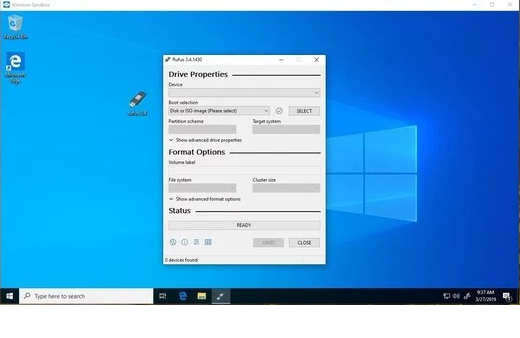
Windows Sandbox is a way to run untrusted applications within an isolated environment independent of your operating system. If the program/application you're running should run afoul, your system is safe.
It's essentially a virtual machine running the Windows image, however it's extremely lightweight at only 100mb. Finish and close the application and everything is deleted within the Sandbox environment and whalla!....you're back in Windows.
One caveat: It's only available to Windows Pro and Enterprise Windows systems. Users running Windows Home would need to upgrade to Windows Pro.
Cortana and Search are separate:
In previous builds of Windows, if you press the "Type Here To Search", Cortana would appear and your searches would include web pages. With the latest update 1903, Cortana and Search are no longer linked. Search and Cortana separated on the Windows 10 taskbar.
Users who just want to search interact with the search field, and those who use Cortana can do so with activation of the Cortana button.
Windows 10 users who don't use Cortana may right-click on the icon and select "Show Cortana button" to remove the Cortana button from the operating system's taskbar. Note that doing so won't disable Cortana on the device, it just hides the icon.
- Pause Updates for Windows 10 Home:
Microsoft has previous pushed updates without the users consent unless settings have been changed otherwise with the update. Now you have the ability to postpone and pause/delay updates for a certain amount of days.
There are other new features like Reserved Storage (Which will be covered in another article), automatic active hours, Mail app improvements, and the usual under-the-hood upgrades for security and stability.
You'll find many new improvements as you continue to use the new build. But the features listed above are some of the ones you will want to check out first.